(Click on the individual step or triangle to hide or show the details (images, info, …))
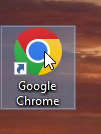
Step 1: Open Google Chrome web browser
Step 2 Left mouse button click on 3 dots button to open the menu.
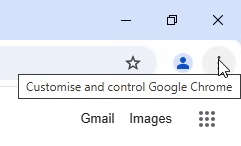
Step 3 With mouse cursor go over the
Bookmarks and Lists.
Step 4 To show bookmarks bar left mouse button click on
Show bookmarks bar or to hide it click Hide bookmarks bar. To show/hide with the keyboard use shortcut CTRL + SHIFT + B
(For text version I used Google Chrome version 134.0.6998.36 on the Windows 10 22H2 64-bit)